Moving a site away from WordPress is easy to describe as a content conversion. In practice, that was only the beginning. I migrated two personal blogs, BlueMind and PiMyRetro, while changing how I maintain them, publish to them, and use AI during editorial work.
The goals were modest: reduce the amount of dynamic software involved in serving mostly static pages, preserve the useful history of both sites, and make the whole publishing path easier to inspect and reproduce. That did not mean accepting a converter’s output as the finished.
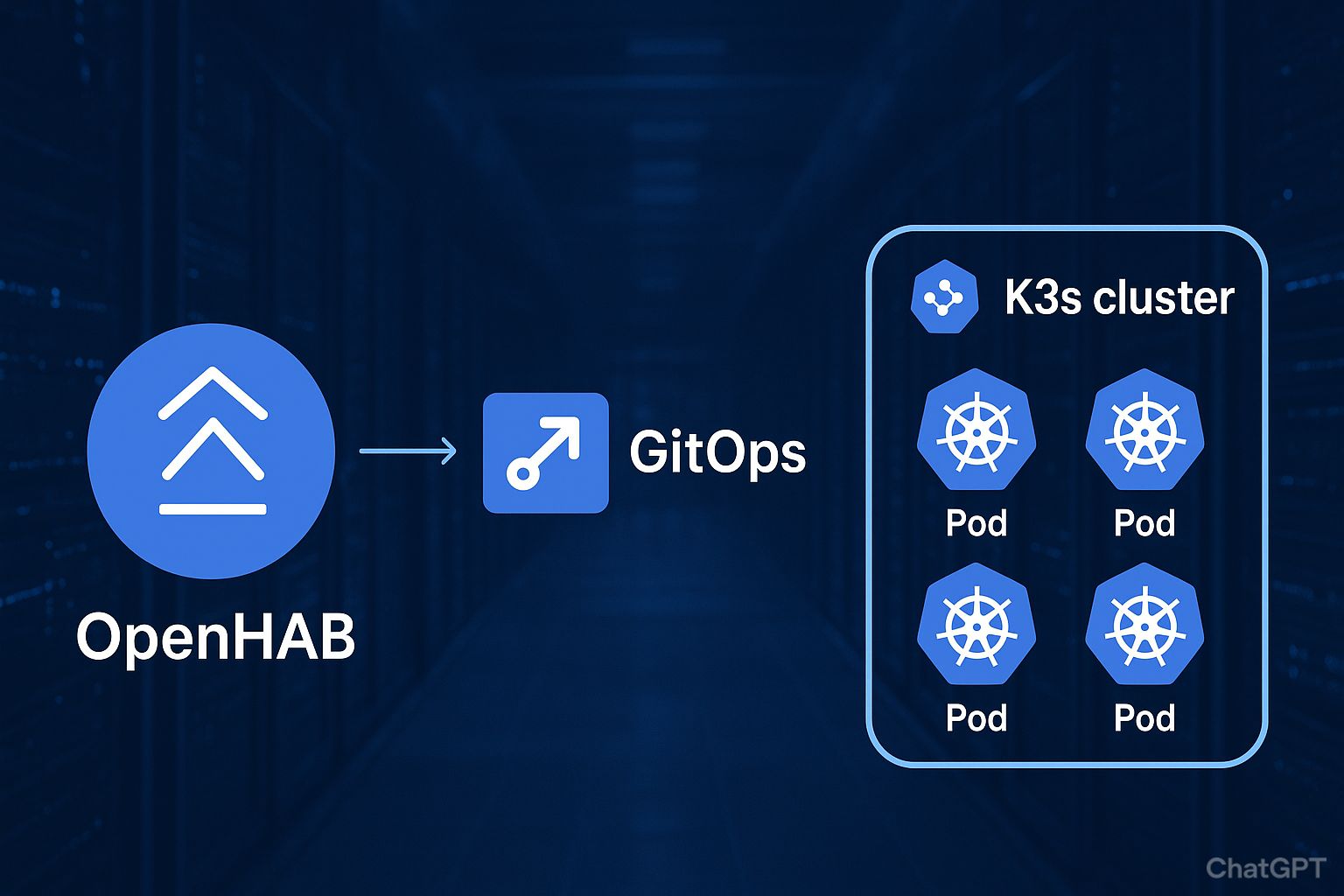
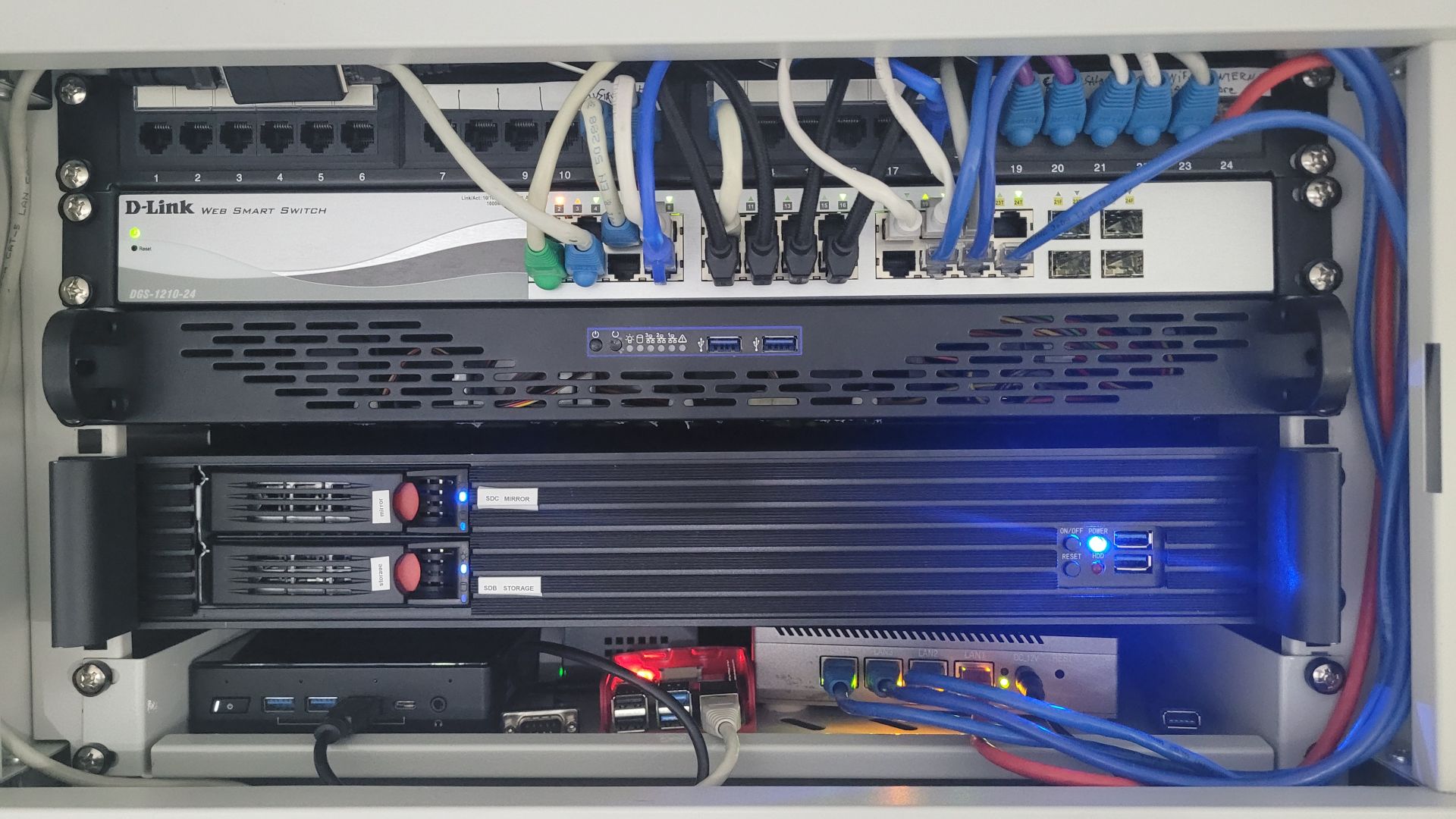
Off course the final result is fully integrated on my git-ops home-lab based on Proxmox, saltstack and k3s.
Why WordPress stopped fitting
WordPress had done its job for a long time, but maintaining a dynamic stack for sites whose published pages are mostly static increasingly felt disproportionate. Updates were more frequent, the maintenance surface kept growing, and the resource cost was difficult to justify. Comments were the main dynamic feature, and they were rarely used.
Security was part of the decision too. I am not claiming a measured change in risk, but the pace of automated and AI-assisted attacks made the question feel less abstract. A static site does not remove every responsibility, but it removes a large part of the runtime that needs to be maintained.
There was also an editorial reason. I wanted to work from notes, photos, screenshots, and project files with either a local or cloud AI assistant of my choice. That should not depend on a paid WordPress integration or a proprietary editor workflow.
The working loop
The migration was not one giant prompt. The useful loop was deliberately repetitive: I prepared a detailed request with ChatGPT, executed it with Codex in VSCode, read Codex’s report and inspected the actual changes. When a result exposed a bad assumption, I adjusted the instructions or corrected it manually. Then I ran the relevant checks, reviewed the milestone, made a manual Git commit, and started the next pass.
That loop matters because AI is good at scanning, comparing, generating reports, and carrying out a bounded transformation. It is not a substitute for deciding whether an old URL deserves a redirect, whether a media substitution is safe, or whether an article still says what it originally meant.
Context had to survive between those passes. During the migrations, TODO lists, decision records, operation journals, manifests, dry-run reports, route matrices and test output made the state visible instead of leaving it in a chat transcript. The current repositories keep their production authoring and technical rules; the migration reports are historical evidence, not an architecture to restore. Git history and named checkpoints, including the historical “hugo-migration” and “V1.0” tags, provided the rollback points and the record of approved milestones.
Start with a raw, recoverable baseline
Both migrations began with a WordPress export and a deliberately recoverable raw conversion. The initial WXR export went through wp2hugo 1.36 with a flat post layout and a complete media download:
./wp2hugo \
  -source pimpmyretrohandheld.WordPress.2026-09-28.xml \
  -output . \
  -content-date-folder-structure flat \
  -download-media \
  -download-all \
  -continue-on-media-download-error
This was not the final Hugo shape. It created a simple raw starting point while retaining media and generated Nginx material as evidence for later review. The raw state was committed before the transformations began. The approach was always: inspect first, build a plan, and keep destructive changes behind an explicit review boundary.
One example of that boundary was the (AI Generated) migration tool’s dry-run operation:
python -m tools.wp2hugo_migrate --root . apply --dry-run
The real apply path had to satisfy reviewed manifests, checksums, approvals, collision checks, and clean-worktree preconditions. A dry run made the intended bundle moves, media copies, reference rewrites, and unresolved items reviewable before the corresponding write was authorised.
Similar method, different sites
BlueMind.org was the first migration and established the workflow. Pimyretro.org reused it, but it was not simply a second copy. Its Game Selections and Book Selections are genuine content hierarchies rather than blog posts. Its former TablePress content also needed its own treatment: immutable exported source data, traceable project-owned Hugo data, semantic tables that remain readable without JavaScript, and only then a small progressive enhancement.
Both sites received a project-owned visual redesign, while retaining different identities. BlueMind.org remains a technology and home-lab site; Pimyretro.org is about old machines, repairs, modifications, games, and books. The migration also created a better SEO foundation: current canonical routes, generated metadata and structured output where the content supports it, and explicit treatment of old WordPress paths. This is not a claim about traffic or rankings. It is a cleaner base for future editorial work.
Extending Markdown without adding complexity
Migrating the articles was only part of the job. I also needed to preserve a few presentation features that had been convenient in WordPress, without putting layout-specific HTML into every Markdown file.
Hugo’s Markdown render hooks offered a useful compromise: content stays in Markdown, while a small Go template controls the generated HTML. I used this approach for images on both blogs and for the tables used by PiMyRetro’s game and book selections.
Controlling image layout from Markdown
On both sites, the image render hook reads optional instructions from the Markdown image title. For example:


The hook recognizes small and normal size classes, float-left and float-right with a pixel width (w-300, for example), or center with a width. It adds the corresponding CSS classes and custom width properties while keeping the image’s source and alt text in Markdown.
Here is the complete render-image.html hook:
{{- $destination := .Destination -}}
{{- $alt := .Text -}}
{{- $title := .Title -}}

{{- $class := "article-image" -}}
{{- $manual := lower (strings.TrimSpace $title) -}}
{{- $tokens := split $manual " " -}}
{{- $floatSide := "" -}}
{{- $floatWidth := 0 -}}
{{- $centered := false -}}

{{- if in $tokens "small" -}}
  {{- $class = printf "%s article-image--small" $class -}}
{{- else if in $tokens "normal" -}}
  {{- $class = printf "%s article-image--normal" $class -}}
{{- end -}}

{{- range $token := $tokens -}}
  {{- if eq $token "float-left" -}}
    {{- $floatSide = "left" -}}
  {{- else if eq $token "float-right" -}}
    {{- $floatSide = "right" -}}
  {{- else if eq $token "center" -}}
    {{- $centered = true -}}
  {{- else if gt (len (findRE "^w-[0-9]{1,3}$" $token)) 0 -}}
    {{- $candidate := int (strings.TrimPrefix "w-" $token) -}}
    {{- if and (ge $candidate 1) (le $candidate 900) -}}
      {{- $floatWidth = $candidate -}}
    {{- end -}}
  {{- end -}}
{{- end -}}

{{- if and (ne $floatSide "") (gt $floatWidth 0) -}}
  {{- $class = printf "%s article-image--float article-image--float-%s" $class $floatSide -}}
{{- else if and $centered (gt $floatWidth 0) -}}
  {{- $class = printf "%s article-image--center" $class -}}
{{- end -}}

<img
  src="{{ $destination | safeURL }}"
  alt="{{ $alt }}"
  class="{{ $class }}"
  {{- if and (ne $floatSide "") (gt $floatWidth 0) }} style="--article-float-width: {{ $floatWidth }}px;"{{ end }}
  {{- if and (eq $floatSide "") $centered (gt $floatWidth 0) }} style="--article-image-width: {{ $floatWidth }}px;"{{ end }}
  loading="lazy"
>
The hook does not itself create a two- or three-column grid: the CSS controls the visual arrangement. That distinction matters when reproducing the technique on another Hugo site. The template provides the HTML classes and width variables; the stylesheet defines how those classes behave, including on smaller screens.
Keeping game and book selections as Markdown tables
Pimyretro.org had another requirement: presenting games and book selections in readable tables, without keeping the old WordPress table plugin. Instead of embedding a large amount of HTML in each article, I used a second render hook to wrap ordinary Markdown tables in a scrollable container.
For example, the source remains straightforward:
| Title | Platform | Year |
| :---- | :------- | ---: |
| Example title | Example platform | 1992 |
The row above is illustrative Markdown syntax, not an entry from my actual collection.
The render-table.html hook renders the table header and body, preserves Markdown column alignment, and adds a keyboard-focusable wrapper with a descriptive label. Here is the complete template:
<div class="table-scroll" tabindex="0" role="group" aria-label="Table {{ add .Ordinal 1 }}">
  <table
    {{- range $key, $value := .Attributes }}
      {{- if $value }}
        {{- printf " %s=%q" $key $value | safeHTMLAttr }}
      {{- end }}
    {{- end }}>
    <thead>
      {{- range .THead }}
        <tr>
          {{- range . }}
            <th scope="col"
              {{- with .Alignment }}
                {{- printf " style=%q" (printf "text-align: %s" .) | safeHTMLAttr }}
              {{- end -}}
            >{{ .Text }}</th>
          {{- end }}
        </tr>
      {{- end }}
    </thead>
    <tbody>
      {{- range .TBody }}
        <tr>
          {{- range . }}
            <td
              {{- with .Alignment }}
                {{- printf " style=%q" (printf "text-align: %s" .) | safeHTMLAttr }}
              {{- end -}}
            >{{ .Text }}</td>
          {{- end }}
        </tr>
      {{- end }}
    </tbody>
  </table>
</div>
The corresponding CSS can let wide tables scroll horizontally rather than breaking the page layout on a phone. The hook is deliberately generic: it has no knowledge of games or books, so the same mechanism can render any Markdown table.
These are small customizations, but they reflect the goal of the migration: preserve useful editorial features while keeping the content portable. The articles remain Markdown files, and the presentation logic stays in a couple of reusable Hugo templates and their associated CSS.
Screenshots for comparison
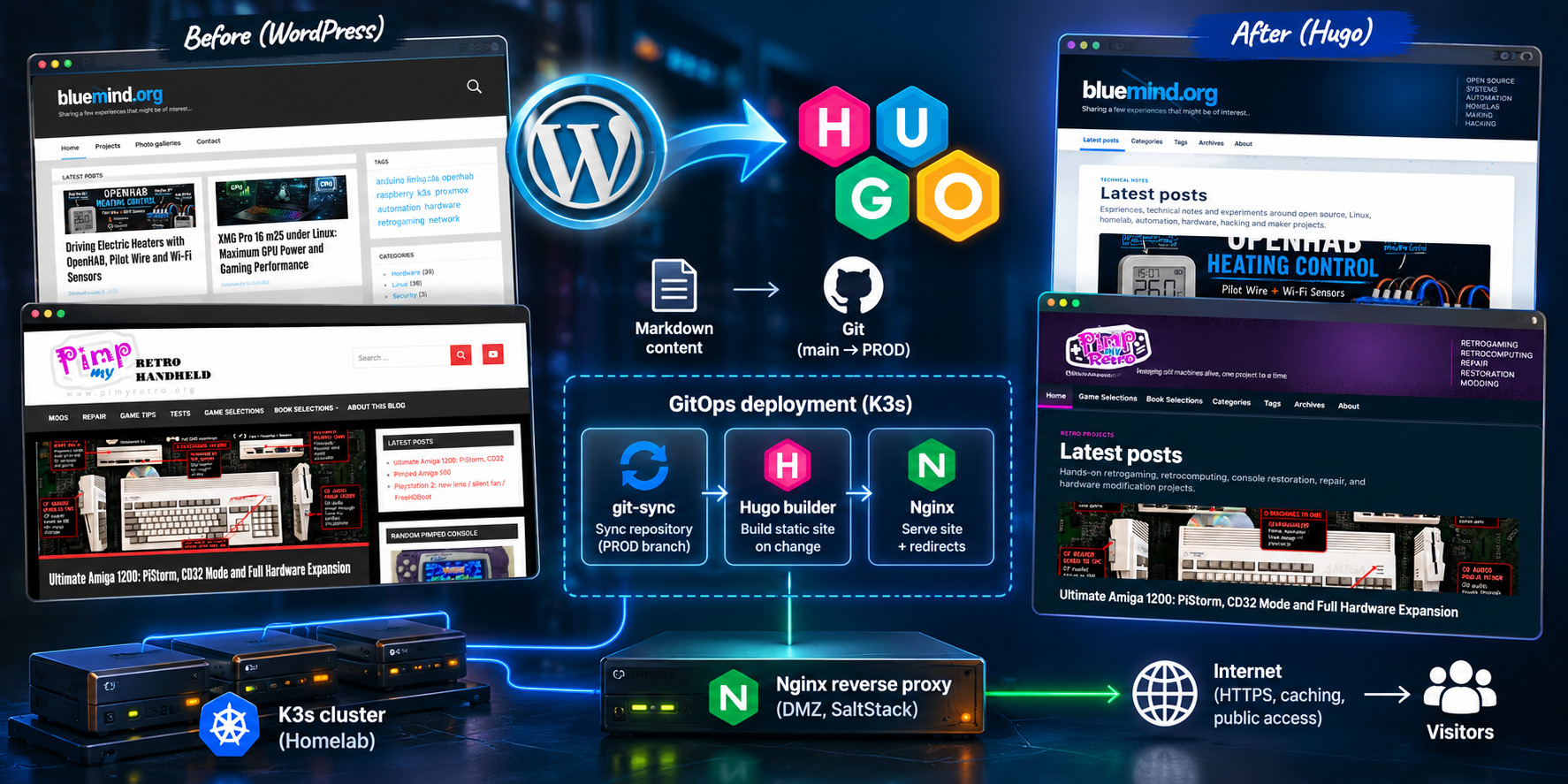
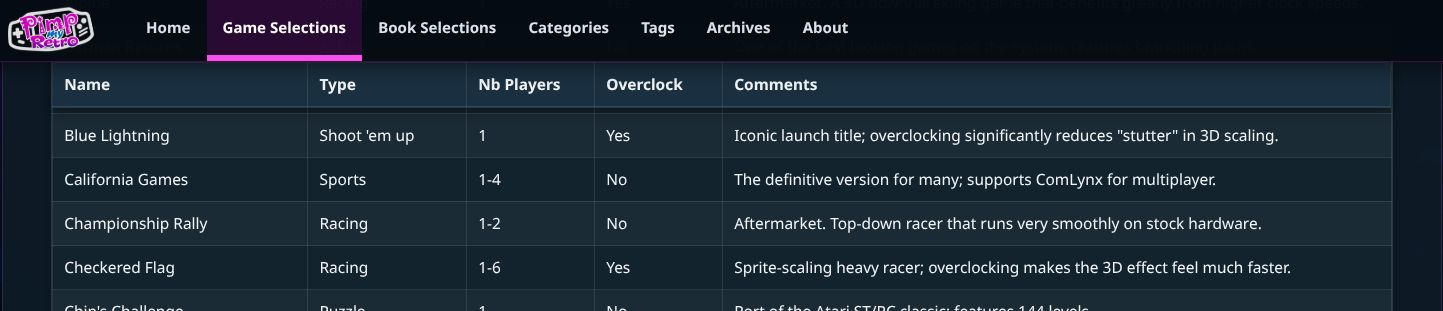
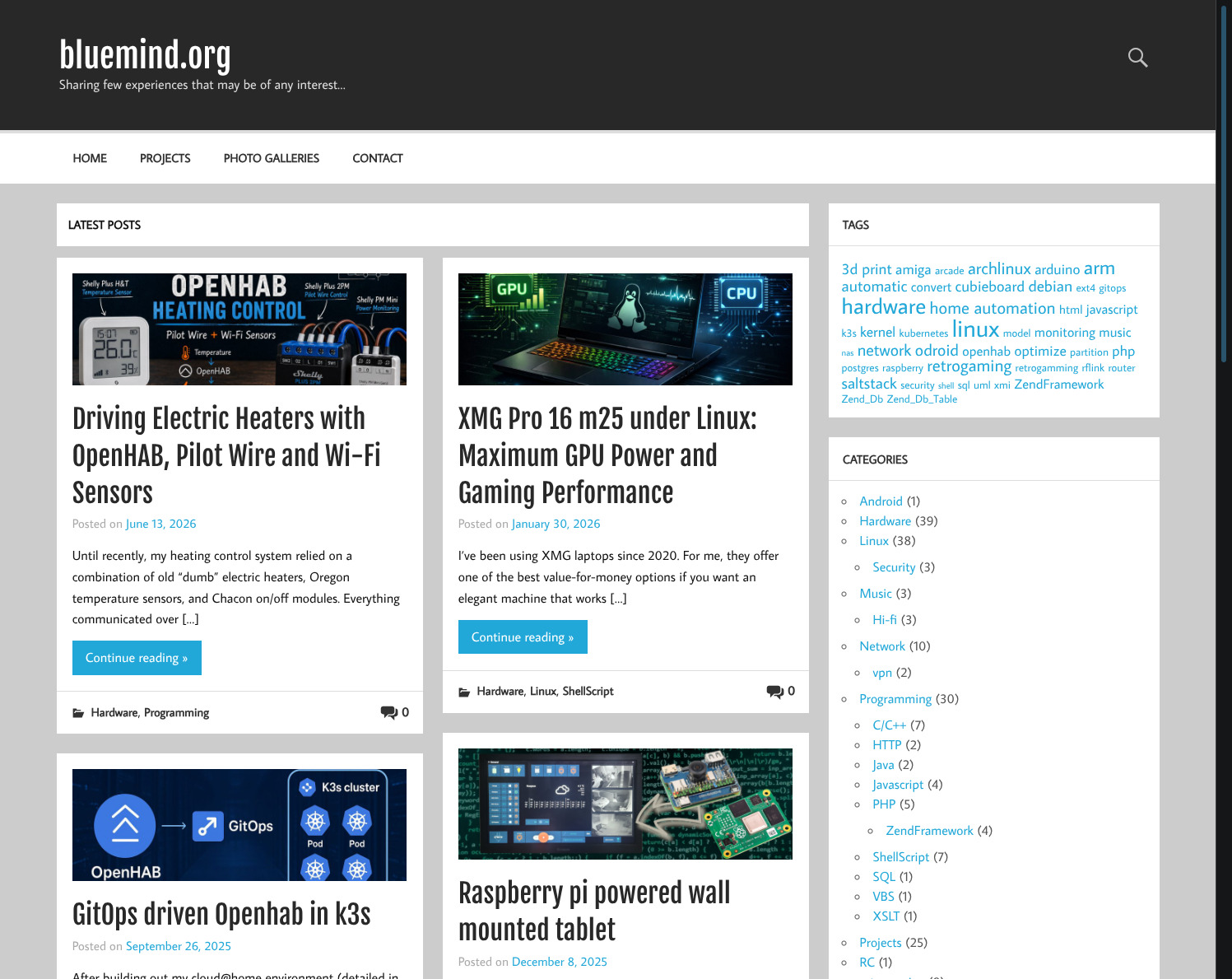
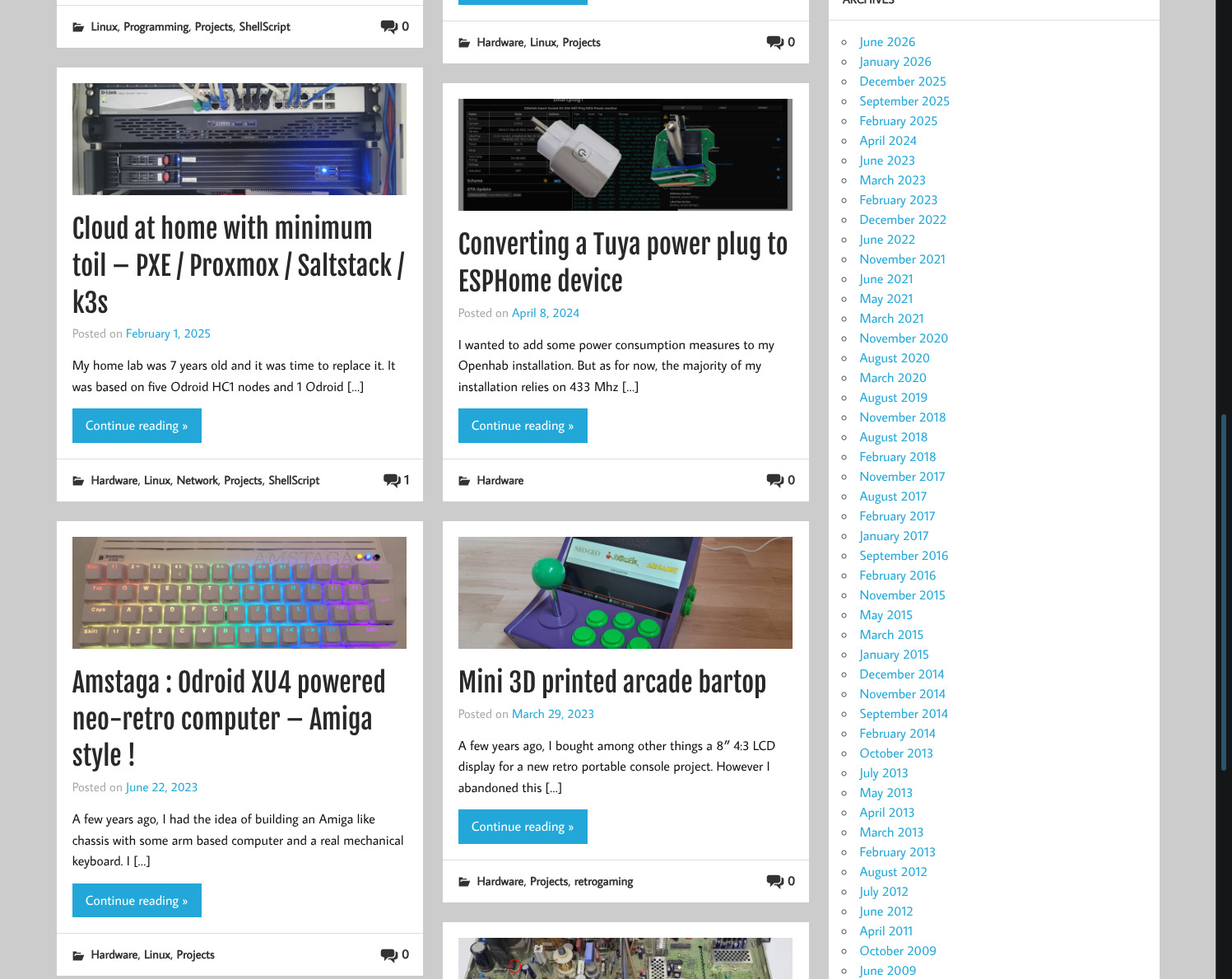
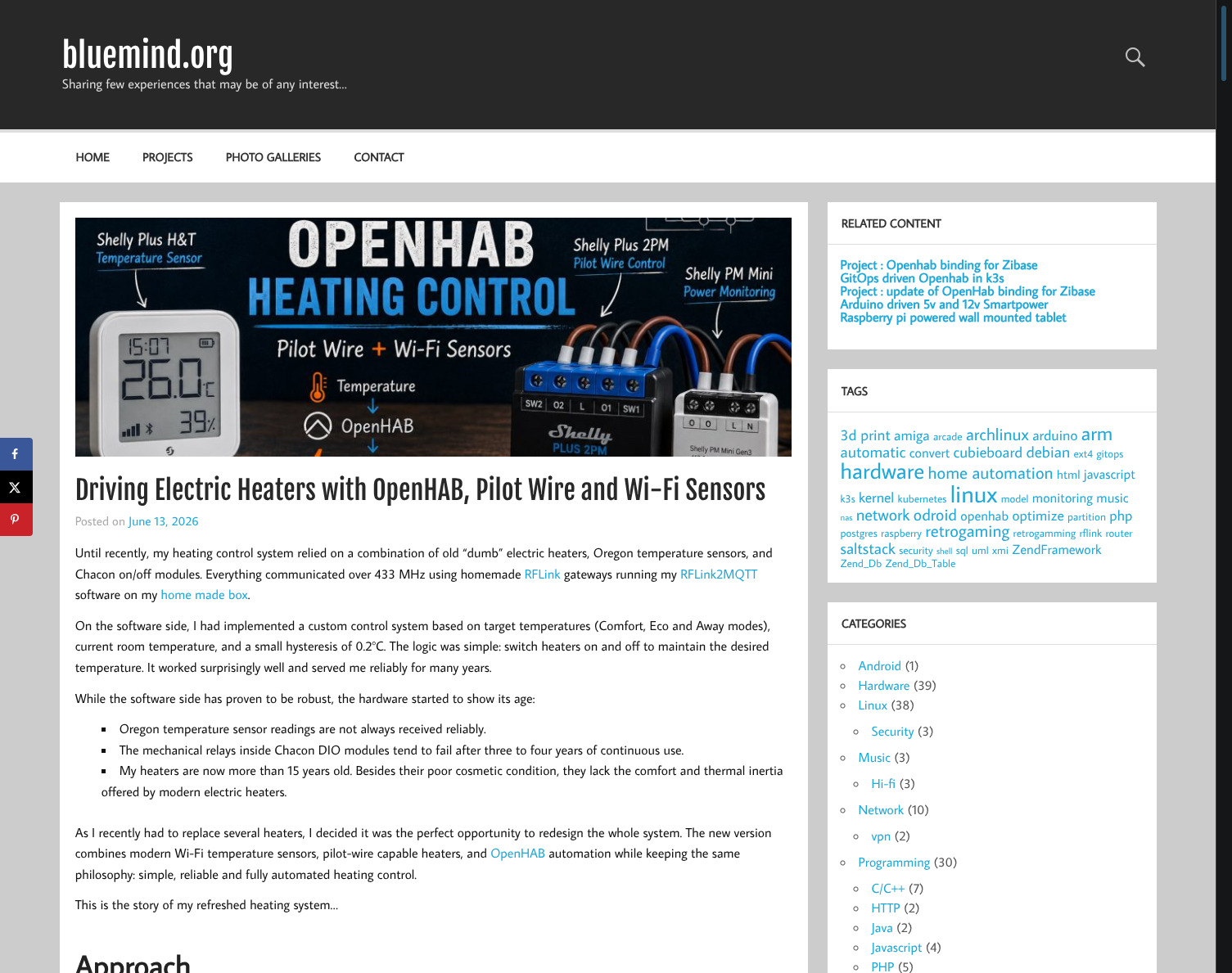
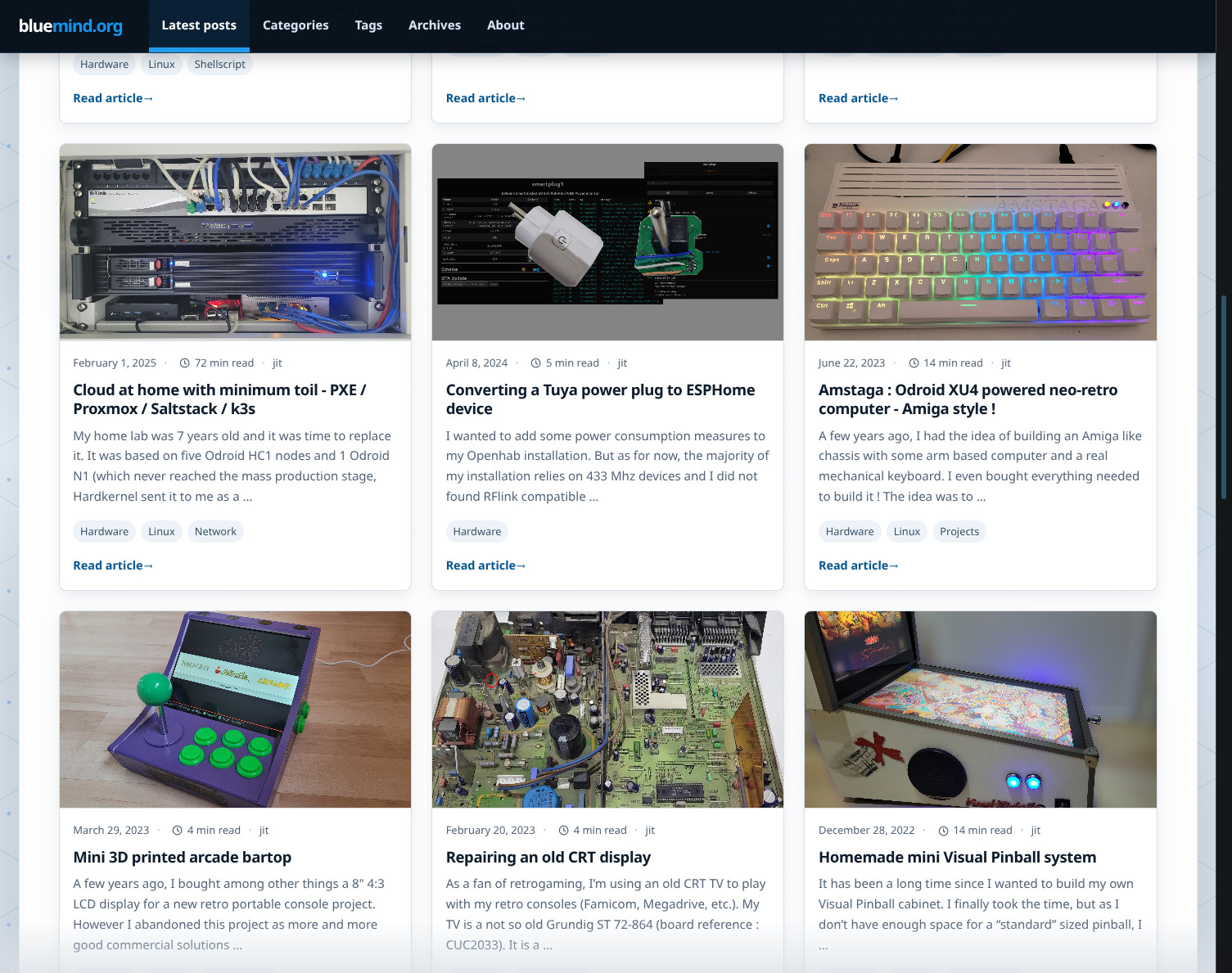
Below are the screenshots of the bluemind.org site. Upper line shows the old style, lower line shows the new one


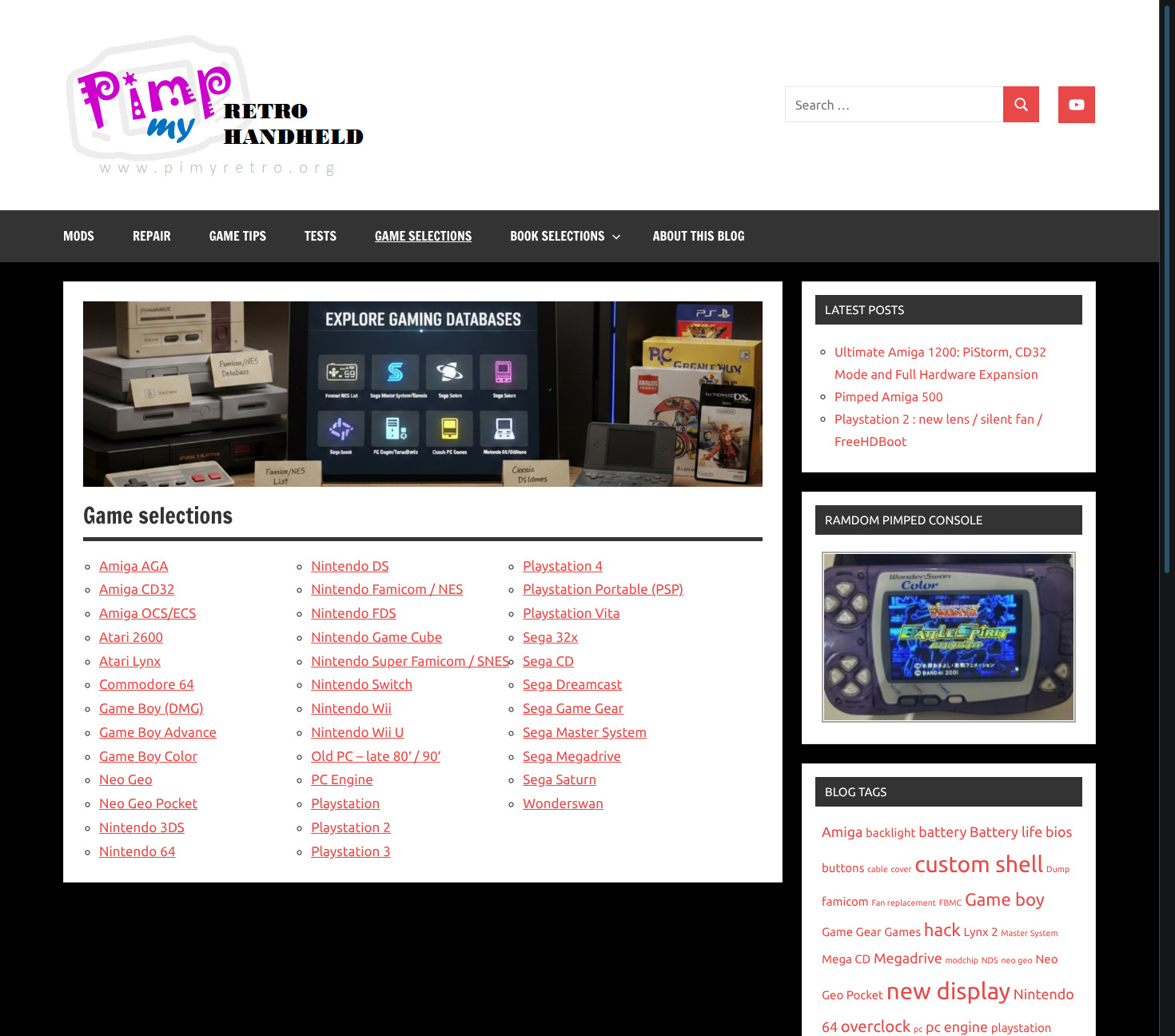
Below are the screenshots of the Pimyretro.org site with the same logic : upper line shows the old style, lower line shows the new one

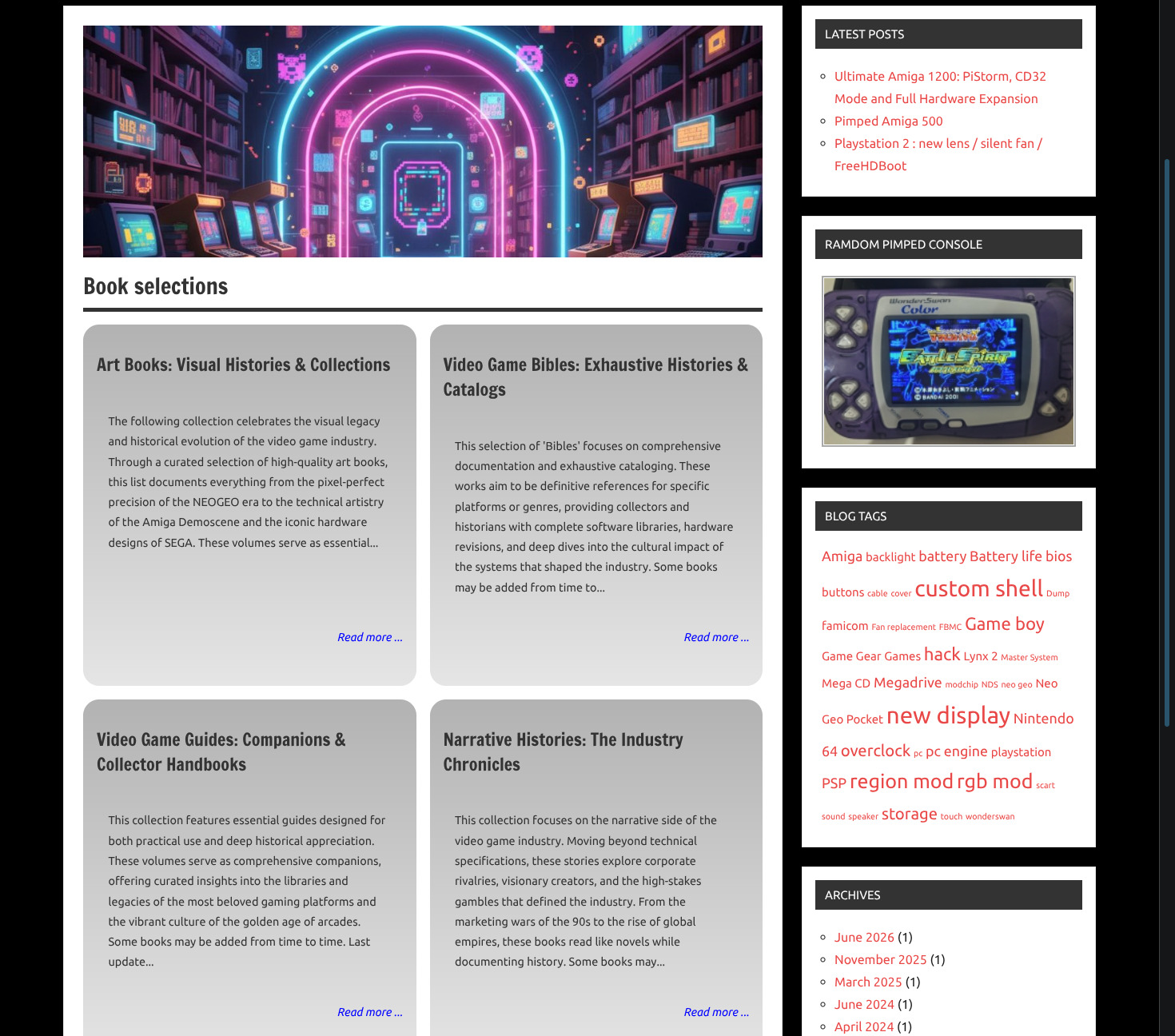
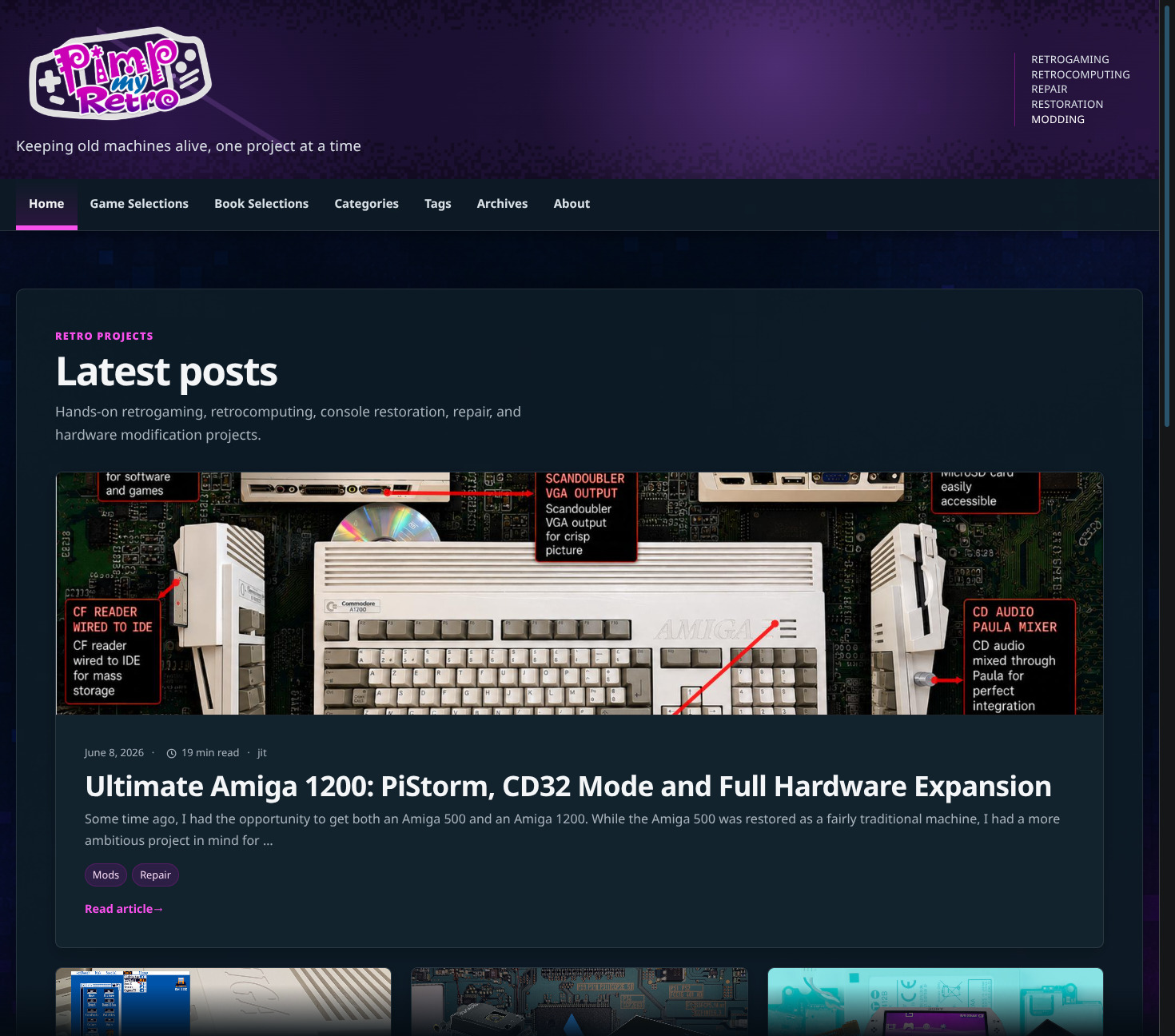
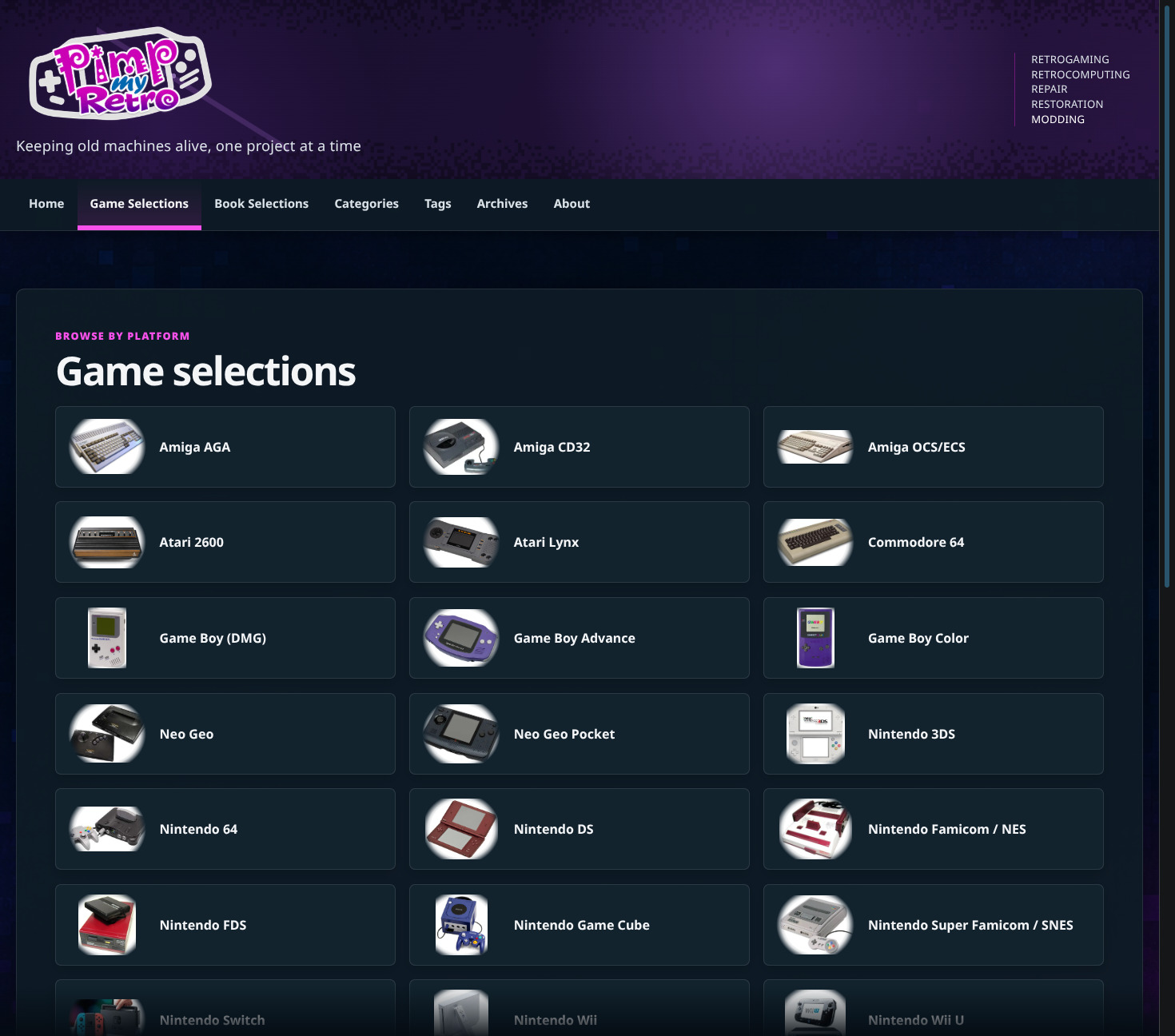
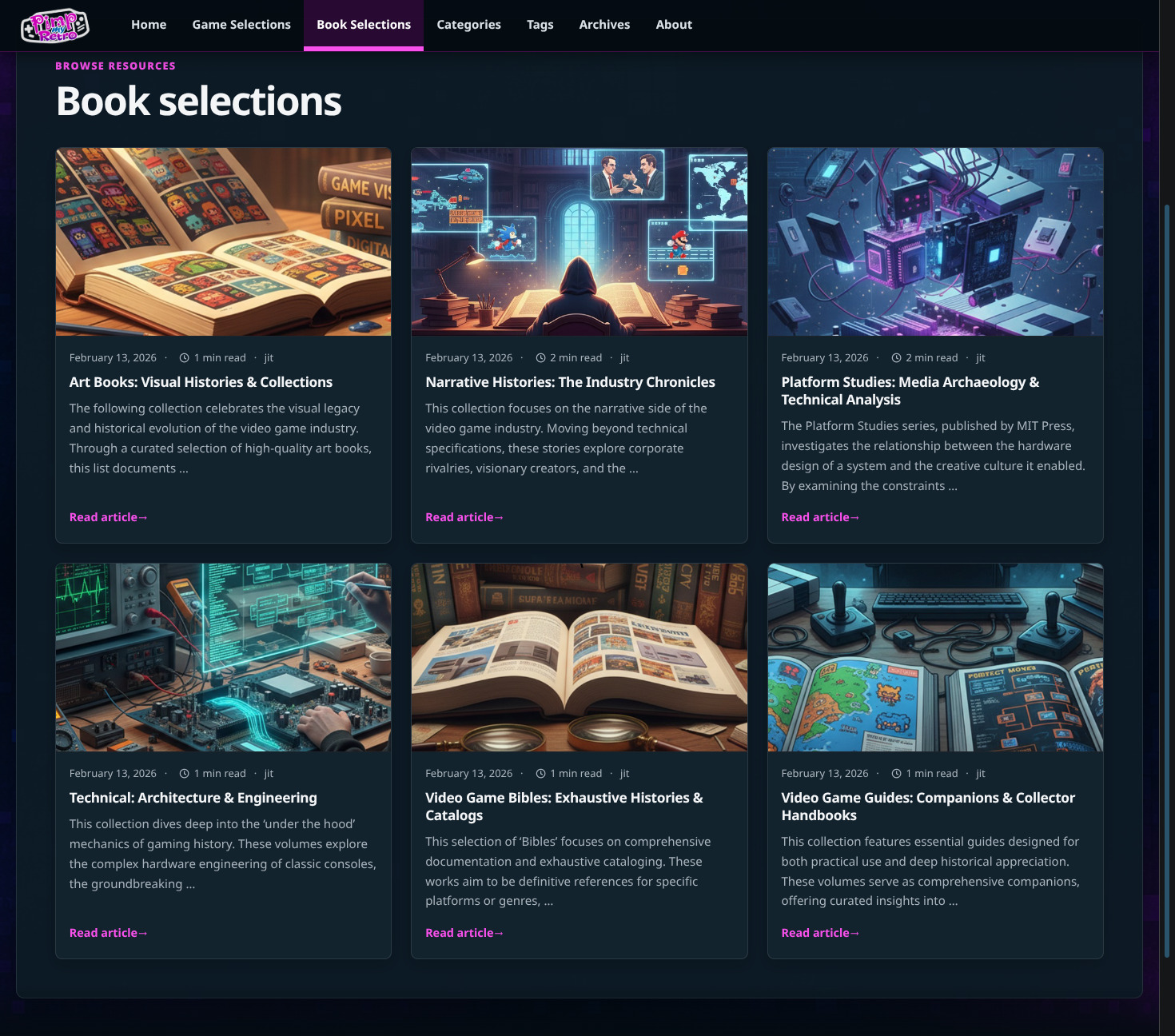
The final screenshots need inspection, bundle-local filenames, factual alt text, and a layout chosen from the actual material. I do not want to guess at any of those details.
Legacy URLs belong at the backend boundary
Hugo owns current canonical routes. It should not grow a collection of aliases, HTML redirects, or JavaScript redirects merely to emulate WordPress. Instead, both projects use site-specific backend Nginx compatibility includes: exact path redirects, exact query redirects, explicit missing-resource responses, and an ordered handler.
The sources and generators are not identical. BlueMind’s current fragments retain provenance from its historical reviewed URL matrix and are covered by an Nginx contract test. Pimyretro.org keeps a current, reviewed nginx/legacy-routes.yaml policy and generates its four include files in a separate repository-preparation step:
python3 -m tools.legacy_compatibility --root .
That command is not part of the Hugo build. Its tests check that the generated path, query, missing-resource, and handler files match the reviewed policy, reject duplicate routes and self-redirects, and keep explicit 404 handling ahead of redirects. The generated files are then available in the Git-synchronised checkout for the backend Nginx container to include. The architectural pattern is shared, but each site keeps its own routes and compatibility source.
From Git to a static site
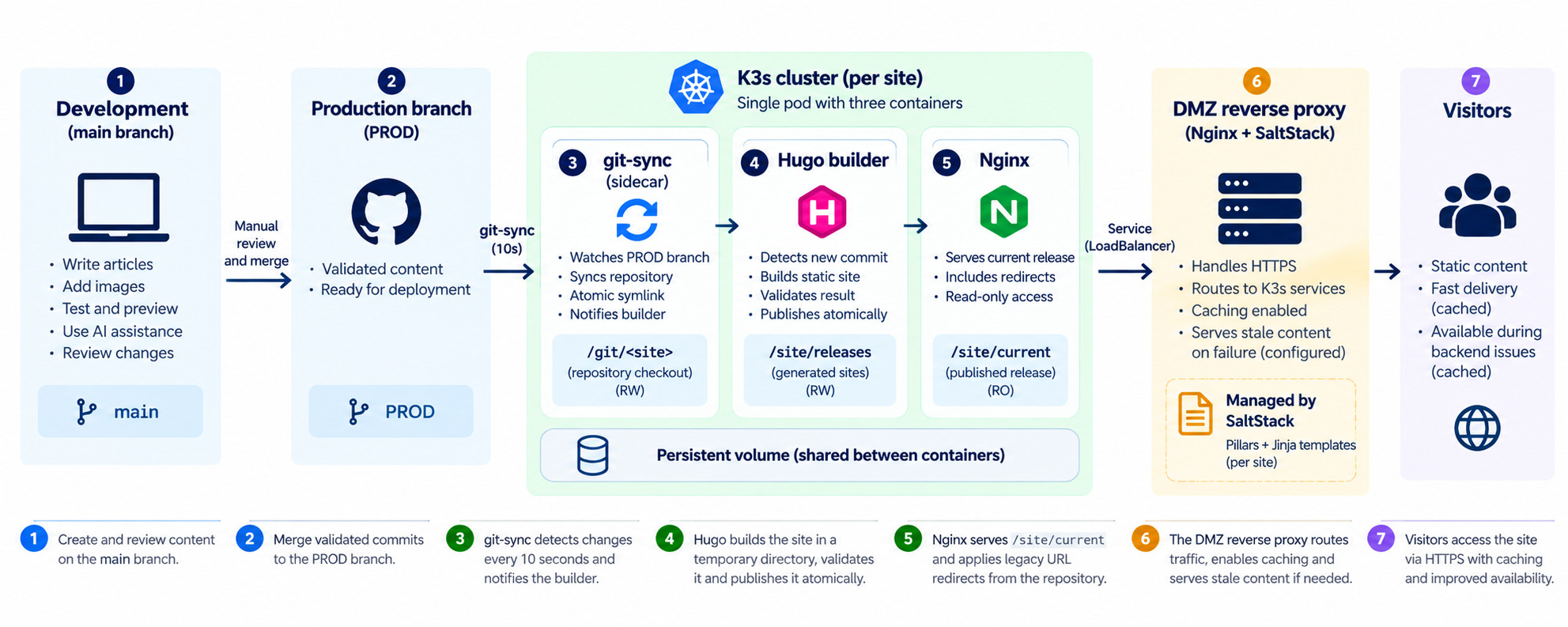
Migrating the content was only part of the project. I also wanted both blogs to use the same deployment mechanism, without adding a separate CI server or building a new container image every time I published an article. Since I already run K3s, I chose to build and publish the static sites directly inside the cluster.
For both BlueMind and Pimyretro.org, main is the working branch: I write, experiment, review AI-assisted changes, and test the result there. When a change is ready, I manually promote the validated commits to PROD. Everything after that follows the same deployment pattern for both sites; only the repository, domain, service and site-specific configuration differ.
One pod, three responsibilities
Each site has its own Kubernetes Deployment, with three application containers in a single pod:
- git-sync follows
PRODand maintains a local checkout of the repository. - Hugo builder turns the checked-out sources into a complete static release.
- Nginx serves the last successfully published release.
The containers share persistent storage, but not the same write permissions. git-sync writes the Git working area; Hugo reads it and writes generated releases; Nginx reads both the published site and the legacy URL configuration. A small in-memory volume carries build notifications between git-sync and Hugo.
The Deployment uses one replica and a Recreate update strategy, because the persistent volume is a local ReadWriteOnce volume. An init container prepares its directories and group permissions before the three application containers start. This is deliberately a simple, per-site design, not a horizontally scaled build service.
Synchronizing the production branch
The git-sync sidecar polls the production branch every ten seconds. These are the relevant options, with the site-specific values replaced by placeholders:
- "--repo=https://github.com/<account>/<repository>.git"
- "--ref=PROD"
- "--depth=1"
- "--period=10s"
- "--root=/git"
- "--link=<site-domain>"
- "--exechook-command=/scripts/notify-build.sh"
The repository is private, so credentials are supplied to the container through a Kubernetes Secret rather than embedded in the manifest. The shallow checkout avoids fetching unnecessary history. git-sync publishes a symbolic link under /git/<site-domain> after synchronization, so the other containers can access the published checkout without observing a partially updated directory.
The execution hook does not build anything itself. It writes the synchronized commit hash into a shared trigger file, using a temporary file and an atomic rename:
tmp="/trigger/hash.$$"
printf '%s\n' "${GITSYNC_HASH}" > "${tmp}"
mv -f "${tmp}" /trigger/hash
That small separation matters: git-sync remains responsible for Git, while the builder decides whether the revision needs to be compiled. The deployment also configures git-sync to keep retrying after network or GitHub failures, rather than treating a temporary synchronization problem as a reason to discard the already generated website.
Building a release without touching the live site
The Hugo container runs a long-lived shell loop. It reads /trigger/hash, checks whether the revision is already published, and starts a new build when needed. Its Hugo version is pinned in the container image to match the version used for repository validation.
Rather than writing into Nginx’s document root, the builder creates a temporary directory for the new release:
hugo \
  --source "${REPO}" \
  --destination "${tmp_release}" \
  --panicOnWarning \
  --noBuildLock
The script only proceeds if Hugo succeeds and the temporary output contains an index.html. It then moves the completed directory into /site/releases/<commit-hash> and atomically switches the symlink that Nginx serves:
mv "${tmp_release}" "${final_release}"
new_link="/site/.current.$$"
ln -s "releases/${hash}" "${new_link}"
mv -Tf "${new_link}" /site/current
This is the key difference between synchronizing source code and publishing a website. A new commit is not made visible merely because it arrived in the cluster. It must first pass the Hugo build and the basic output check. If that fails, the incomplete directory is removed and /site/current still points to the previous working release.
The builder retains the current and immediately preceding release directories, and records the published hash. After a pod restart, it can reuse an existing valid release instead of rebuilding the same commit. Keeping the previous release also leaves a local rollback candidate, although rollback itself is not automatic.
There is one technical limitation worth noting: the builder reads git-sync’s current repository symlink rather than pinning a separate checkout to the notified hash. If another synchronization happens during a build, the hash used to name the release is not a strict content-integrity guarantee. For my relatively small blogs this is an accepted simplification, not a general-purpose immutable build pipeline.
Serving the site and retaining WordPress URLs
Nginx runs as an unprivileged container on port 8080 and serves /site/current as its document root. Kubernetes exposes each site’s Nginx through its own LoadBalancer Service, forwarding a site-specific service port to 8080.
The same pod also has access to the synchronized repository because the migration left historical WordPress URLs that must continue to work. Rather than putting thousands of redirects directly into the Kubernetes manifest, each site keeps its own versioned legacy-routing data and generated Nginx configuration fragments. The deployment’s Nginx configuration includes those fragments from /git/<site-domain>/nginx/.
For example, the common integration pattern is:
# Included at the Nginx http configuration scope
include /git/<site-domain>/nginx/legacy-redirects.conf;
include /git/<site-domain>/nginx/legacy-query-redirects.conf;
include /git/<site-domain>/nginx/legacy-missing-resources.conf;

server {
    listen 8080;
    root /site/current;
    index index.html;

    # Site-specific compatibility handler is included here.
    include /git/<site-domain>/nginx/legacy-compatibility-handler.conf;

    location / {
        try_files $uri $uri/ =404;
    }
}
The example above illustrates the shared pattern, not a ready-to-deploy replacement for either site’s full Nginx configuration. The actual rules and any additional compatibility locations remain specific to each repository. The generation of legacy fragments is a separate, validated preparation step; it should not be confused with the Hugo HTML build.
There is also an important operational distinction: Nginx reads configuration includes when its configuration is loaded or reloaded. Updating those files through git-sync alone does not activate new redirect rules in an already running Nginx process. A reload or restart is required for changes to those fragments, even though changes to the static site itself are published by switching /site/current.
The DMZ reverse proxy and SaltStack
The Nginx instances running in K3s are not exposed directly to the Internet. A separate Nginx reverse proxy in my DMZ handles incoming requests for both blogs, forwards them to the appropriate K3s services, and caches responses. I manage this proxy with SaltStack rather than maintaining two independent virtual-host configurations.
The configuration is generated from a common Jinja template. Salt pillars supply the site name, its backend addresses, and whether static-file caching is enabled. For example, the template creates an upstream group from the configured backends:
upstream {{ site.replace('.','_') }} {
    {% for backend in pillar['rproxy_sites'][site]['backends'] -%}
    server {{ backend }} fail_timeout=5s max_fails=1;
    {% endfor %}
}
The same template renders a virtual host for each domain, with its own Let’s Encrypt certificate, rate limiting, and shared Nginx configuration includes. It accepts only GET and HEAD requests, which is sufficient for these static websites. Other HTTP methods are rejected with Nginx’s 444 response code.
The cache policy depends on the type of content. HTML pages need to reflect new articles reasonably quickly, whereas CSS, JavaScript, and images can usually be cached much longer. Here is the HTML rule from the template:
location / {
    proxy_pass $backend;

    {% if pillar['rproxy_sites'][site]['cache_static_files'] != 'disabled' %}
    proxy_cache static;
    proxy_cache_valid 200 1h;
    proxy_cache_revalidate on;
    proxy_cache_use_stale error timeout invalid_header updating http_500 http_502 http_503 http_504;
    proxy_cache_background_update on;
    proxy_cache_lock on;
    add_header X-Cache-Status $upstream_cache_status;
    {% endif %}

    add_header Cache-Control "public, no-cache";
}
The proxy can reuse a successful HTML response for one hour, while the browser is instructed to revalidate its own cached copy. This means a newly deployed page may not become visible through the public endpoint immediately. The proxy_cache_use_stale settings also allow Nginx to serve an already cached response for the specified upstream errors or timeouts. That is useful when a backend is temporarily unavailable, but it is not a full backup: uncached URLs and situations outside those configured conditions are not protected.
The other two location blocks use a longer reverse-proxy cache for successful responses: 30 days for CSS/JavaScript and 30 days for images, fonts, PDFs and other listed files. Their browser policies differ:
# CSS and JavaScript
add_header Cache-Control "public, max-age=31536000, immutable";

# Images, fonts and downloadable files
add_header Cache-Control "public, max-age=604800";
The distinction is intentional. Hugo-generated CSS and JavaScript assets can use fingerprinted filenames, so clients may keep those immutable resources for a year. Other files can retain the same filename even if their contents change, so the browser lifetime is shorter: seven days. The reverse proxy still caches successful responses for up to 30 days under the configured policy.
The template also enables background cache updates, cache locking, and revalidation. Together, these settings reduce unnecessary requests to the K3s backends and can soften temporary upstream failures. The X-Cache-Status header helps inspect whether a response came from the proxy cache.
There is one practical trade-off: the proxy’s cache lifetime and the browser’s cache lifetime are separate. A Git commit may be built and published successfully in K3s within seconds, while visitors continue to receive cached content until the relevant cache entry is refreshed or invalidated. For a personal blog, I prefer this predictable caching policy over requiring the backends to answer every request.
Because both blogs use the same Salt-managed Jinja template, their reverse-proxy behavior stays consistent. The site-specific differences live in pillars rather than duplicated Nginx configuration.
Schema of the overall process
What I still miss
WordPress made one editorial task pleasantly visual: browsing the media library, choosing an image, and inserting it into an article. My project photos and screenshots often have timestamp-like filenames. Finding the right file and typing its Markdown path is still more friction than it should be.
I do not need a full WYSIWYG editor to solve that. A lightweight visual image picker or insertion helper would be enough. It should help select real bundle-local files without taking control of the rest of the Markdown workflow.
The main gain is not merely static pages. It is owning a smaller, portable, reproducible publishing system: one that keeps content, verification, and deployment boundaries visible, preserves what matters from the older sites, and can work with whichever AI assistant I choose next.