I was searching how to replace my X86 server by some arm based server. The main objectives was to lesser power comsumption and optimize the fault tolerance of m infrastructure (several am computer is better than one simple x86 machine running virtual machines…).
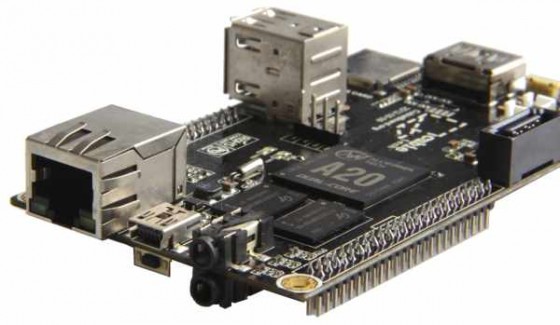
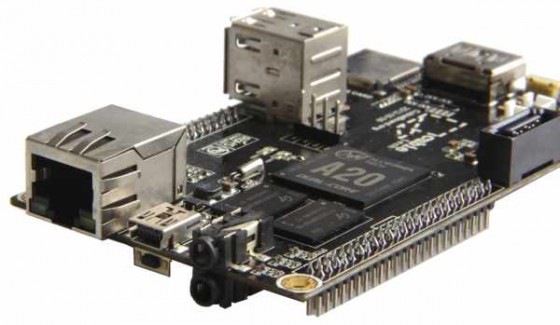
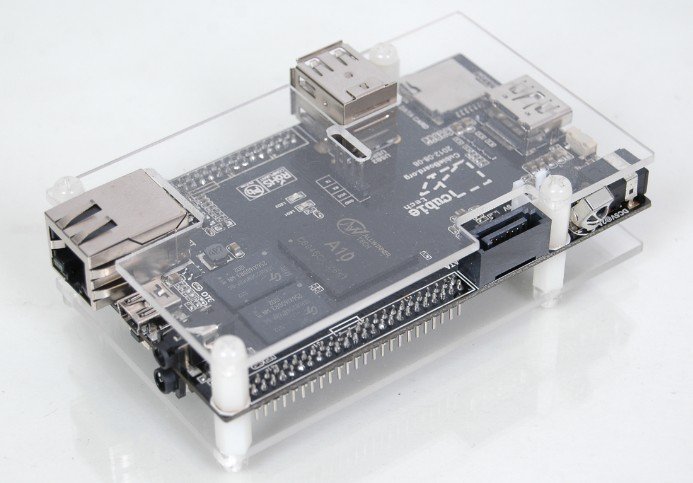
After a little research on arm computer, I chose the Cubieboard for its good power/price ratio and the support we can find for it.
Basicaly, I found all informations I needed on the following site : https://github.com/linux-sunxi/u-boot-sunxi/wiki
SDCard preparation
The hardware
 I used a SanDisk microSDHC “ultra 10x” as main drive to insure good speed (the cubieboard’s internal nand flash seems a little bit slow compared to this microSD).
Optimization
Thanks to sdcard optimization (see article), I got the following results:
- big files before optimization : 821 Mb/s, after : 980 Mb/s
- small files : Before optimizations : 270 Mb/s, after 618 Mb/s
Partitioning
I organized the sdcard as follow :
- a first partition for /boot of 28 Mb: from block 8192 to 65535 (fat fs, as the cubiboard only support fat for booting)
- a second part for / starting at block 65536 to the end (ext4 fs)
Deploying the base system
The way I chose to Install Debian on my cubieboard, I chose to get an image of a base install and then copy files to the final destination SdCard (by default, the cubieboard tries to boot from SDcard slot first).
I got the base debian wheezy image from : http://guillaumeplayground.net/share/debian_wheezy_armhf_v1_mele.img.gz
Then I wrote this image on a usb stick (need to be >=1Gb):
dd if=debian_wheezy_armhf_v1_mele.img of=/dev/sdc bs=1024
Finaly I used rsync to copy the content of the 2 partitions form the usb stick to the 2 partitions of my SdCard (first part = boot, second part = root)
rsync -avc /source /target
Make the SdCard bootable
To allow the Cubieboard to boot on a microSD, we need to copy the u-boot bootloader on the very first blocks. In order to do that we have to compile u-boot for this specific board (I’m using archlinux on my laptop and /dev/sdc is the microSd) :
yaourt -S arm-none-linux-gnueabi
git clone git://github.com/linux-sunxi/u-boot-sunxi.git
cd u-boot-sunxi
make 'cubieboard' CROSS_COMPILE=arm-none-eabi-
dd if=spl/sunxi-spl.bin of=/dev/sdc bs=1024 seek=8
dd if=u-boot.bin of=/dev/sdc bs=1024 seek=32
Then put the card in the cubieboard, And was able to ssh to it after a little research for the ip it had been given by my DHCP (l/p = root/root)
Finalize the system
Basic Customization
passwd
echo "<MY_HOSTNAME>" > /etc/hostname
Optimizing:
I updated the whole sytem thought apt-get dist-upgrade, then like for my Sheevaplug I made some tmpfs mountpoint in /etc/fstab
I also set the IO Scheduler to Deadline (better than “noop” for nand) and overclocked a little bit the SoC in rc.local:
deadline scheduler
cpufreq-set -u 1.2GHz
Make use of the SATA Port
As I want to use my Cubieboard as a personnal web server with lots of images and/or videos, I needed to use an hardrive in addition to the SdCard.
The Cubieboard provide a Sata Port and suitable cable for a 2.5 inch drive, but the port is not powered by default. To enable this, you have to modify the boot params of the bootloader (the .fex file in /boot):
apt-get install g++
git clone git://github.com/linux-sunxi/sunxi-tools
cd sunxi-tools
make
mount /boot
./bin2fex /boot/script.bin /tmp/script.fex
nano /tmp/script.fex # set sata_power_en = port:PB08<1><default><default><0>
./fex2bin /tmp/script.fex /boot/script.bin
umount /boot
echo "sw_ahci_platform" >> /etc/modules # load sata module at boot
Note that depending on the power your hardrive need, you may have to plug another power supply throught the mini-usb (OTA). In my Case, I had to add an 1A powersupply together with the original one…
After a reboot the hardrive powers on and is recognized by the system. Installating the Lamp stack is then pretty straight forward, like on any debian server…