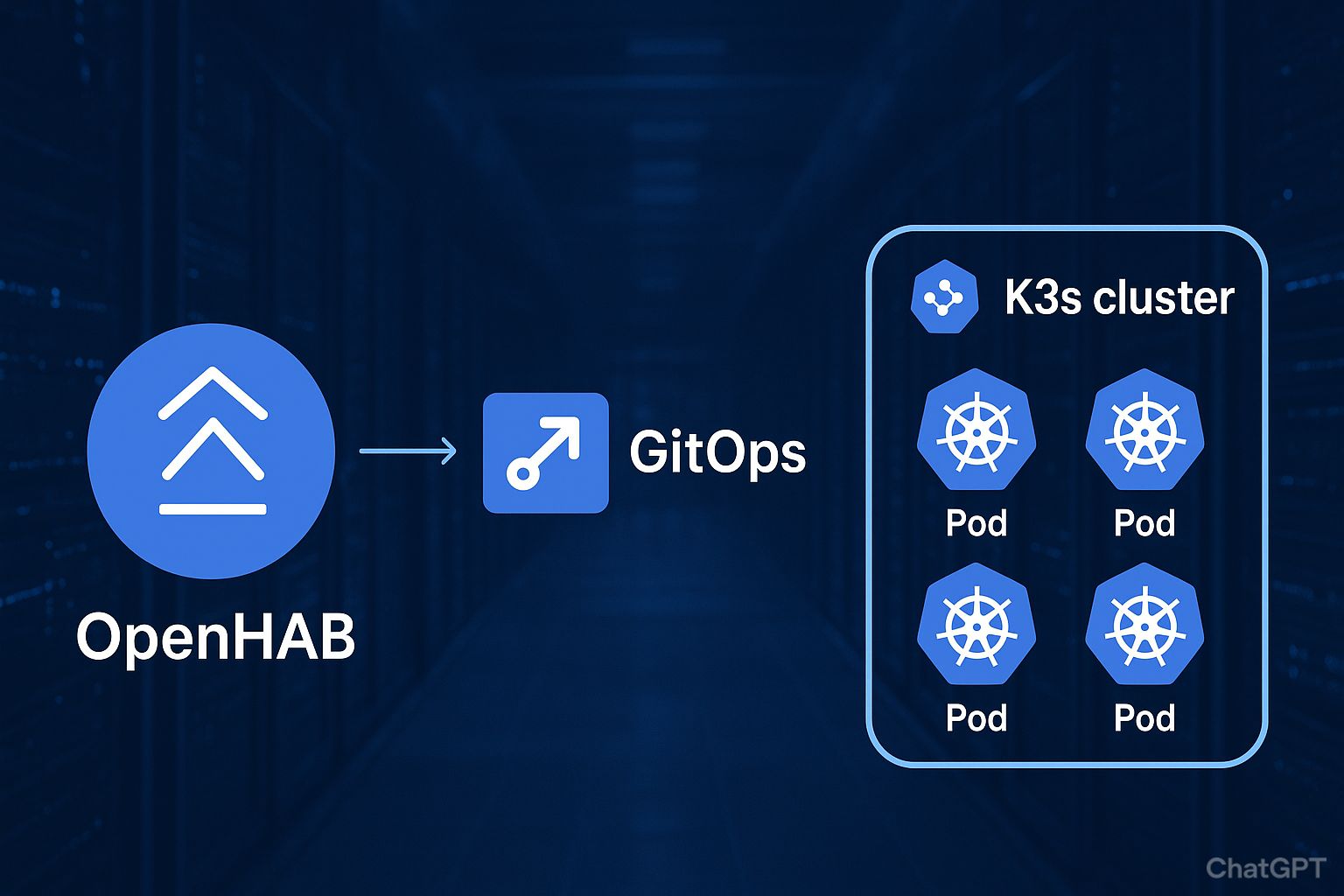
After building out my cloud@home environment (detailed in my previous article), I decided to take the next logical step: replacing my OpenHABian setup with a fully GitOps-driven “as code” version of OpenHAB deployed into my K3s cluster.
My goals were simple:
- be able to deploy or redeploy everything from scratch in seconds,
- support upgrades cleanly,
- optionally preserve user data when I want to,
- have transparency and reproducibility via Git.
- be able to reflect any OpenHab textual definition change in production with a simple commit
This post walks through how I designed, configured, and now run OpenHAB on Kubernetes using GitOps—covering the trade-offs I faced, the architecture I settled on, and lessons learned along the way.
OpenHab Deployment definition
Before diving in, you may want to review my k3s architecture— it provides the cluster with redundant persistence, automated backup and restore, and a fully GitOps-driven workflow powered by SaltStack and GitHub.
What follows is a simplified and commented excerpt of the full YAML manifest. The goal is to highlight the core building blocks of the deployment, which serve as the foundation for everything else described in this article.
Please note that I’m not defining a persitent volume for Openhab “userdata” folder below because it is useless in the context of this article and would just add uneeded lines.
# Define the Openhab web interface service.
# It maps the default openhab port (8080) to the http standard 80
---
apiVersion: v1
kind: Service
metadata:
  name: openhab-web-service
  namespace: prod
spec:
  selector:
    app: openhab
  type: LoadBalancer
  ports:
    - protocol: TCP
      port: 80 # exposed port web admin
      targetPort: 8080 # targeting port on the container

# Define the ingress route which uses the previous services
# Note that the used domain is defined on my internal DNS server
---
apiVersion: networking.k8s.io/v1
kind: Ingress
metadata:
  name: openhab
  namespace: prod
spec:
  rules:
    - host: openhab.local.lan
      http:
        paths:
          - path: /
            pathType: Prefix
            backend:
              service:
                name: openhab-web-service
                port:
                  number: 80

# Persistent volume definition
# I use it to persist data that Openhab need to store during runtime
# It is also used to provides Openhab with textuals definitions (items, rules, etc.)
---
apiVersion: v1
kind: PersistentVolumeClaim
metadata:
  name: openhab-data-pv-claim
  namespace: prod
  labels:
    app: openhab
spec:
  accessModes:
    - ReadWriteOnce
  resources:
    requests:
      storage: 3500M
  storageClassName: local-storage
  volumeName: openhab-data-pv
---
apiVersion: v1
kind: PersistentVolume
metadata:
  name: openhab-data-pv
  namespace: prod
spec:
  capacity:
    storage: 3500M
  volumeMode: Filesystem
  accessModes:
  - ReadWriteOnce
  persistentVolumeReclaimPolicy: Retain
  storageClassName: local-storage
  claimRef:
    name: openhab-data-pv-claim
    namespace: prod
  local:
    path: /media/pv_openhab

# Openhab container deployment definition
---
apiVersion: apps/v1
kind: Deployment
metadata:
  name: openhab-deployment
  namespace: prod
spec:
  replicas: 1 # I don't think Openhab support mutiple instances
  selector:
    matchLabels:
      app: openhab
  template:
    metadata:
      namespace: prod
      labels:
        app: openhab
    spec:
      containers:
        - name: openhab
          image: openhab/openhab:5.0.1
          ports:
          - containerPort: 8080
            name: http
            protocol: TCP
          env:
          - name: TZ
            value: Europe/Paris
          - name: OPENHAB_CONF
            value: /openhab/conf
          volumeMounts:
          - name: etc-localtime
            mountPath: /etc/localtime
            readOnly: true
          - name: openhab
            mountPath: /openhab/userdata
            subPath: userdata
            readOnly: false
          - name: openhab
            mountPath: /openhab/addons
            subPath: addons
            readOnly: false
          - name: openhab
            mountPath: /openhab/.java
            subPath: java
            readOnly: false
          - name: openhab
            mountPath: /openhab/.karaf
            subPath: karaf
            readOnly: false
      volumes:
      - name: etc-localtime
        hostPath:
          path: /usr/share/zoneinfo/Europe/Paris
      - name: openhab
        persistentVolumeClaim:
          claimName: openhab-data-pv-claim
Some additional notes regarding this definition:
- I always specify the exact version of the Openhab container in order to ensure that only version I tested my configuration on will be deployed.
- I do not map the Karaf console in my production environement (8101) because using any TCP ingress in k3s requires a specific configuration and I honestly don’t need it.
GitOPS for Openhab configuration
To manage OpenHAB configuration via GitOps, I use a git-sync sidecar container that pulls configuration from a private repository. The configuration is stored on an in-memory emptyDir volume mounted at /openhab/conf. Initially, I tried using a subpath mount, but this approach introduced two problems:
- Startup ordering – git-sync must complete its initial sync before the OpenHAB container starts, otherwise OpenHAB creates its own
/confdirectory structure, which may conflict. - Continuous updates – subsequent changes in the Git repository are not reflected in the running container because symlinks in subpaths are not followed after startup.
Using an initContainer for git-sync isn’t a solution either, because an initContainer only runs to completion once at startup, while the purpose of git-sync is to continuously monitor and update the local repository.
The solution I implemented involves three key steps:
- Set the
OPENHAB_CONFenvironment variable to point to a different path, avoiding the need for subpath mounts. - Use a sidecar container with git-sync to fetch the configuration from the OpenHAB repository.
- Use git-sync’s command hook feature to copy updated configuration files into the OpenHAB configuration directory.
Two remaining challenges had to be addressed:
- Race condition at startup – if the OpenHAB container initializes its configuration directory before or during the git-sync copy, file structure may be incomplete (OpenHAB run some initialization command durint its first startup)
- Command hook limitations – git-sync only allows executing a single executable with no arguments.
To solve this, I added a small BusyBox initContainer and a dedicated volume to create a bash script. This script acts as a command hook for git-sync, waiting for the OpenHAB configuration directory to exist before copying files over.
Finally, there are a few practical notes:
- Only older git-sync images (3.x) are readily available online. To ensure future compatibility, I built a custom git-sync image using a build script stored in my Git repository.
- I modified the GROUP_ID and USER_ID in the OpenHAB container definition so that the OpenHAB user and group match those used by git-sync, which cannot be changed otherwise.
Here is the updated deployement Yaml code:
apiVersion: apps/v1
kind: Deployment
metadata:
  name: openhab-deployment
  namespace: prod
spec:
  replicas:
  selector:
    matchLabels:
      app: openhab
  template:
    metadata:
      namespace: prod
      labels:
        app: openhab
    spec:
      initContainers:
      - name: init-openhab-conf
        image: busybox
        command:  ['sh', '-c']
        args:
        - |
          cat << 'EOF' > /scripts/update.sh
          #!/bin/sh

          until [ -d /gitconfig/conf ]
          do
              sleep 5
          done

          rm -Rf /gitconfig/conf/*
          cp -R /gitconfig/openhab-config/* /gitconfig/conf/
          EOF
          chmod +x /scripts/update.sh
        # The same volume is also mounted on the gitsync container
        # so the update.sh script can be used as a command hook
        volumeMounts:
        - name: scripts
          mountPath: /scripts
          readOnly: false
      containers:
        - name: openhab
          image: openhab/openhab:5.0.1
          ports:
          - containerPort: 8080
            name: http
            protocol: TCP
          env:
          - name: TZ
            value: Europe/Paris
          - name: USER_ID    # have to be the same as git-sync user
            value: "65533"
          - name: GROUP_ID
            value: "65533"   # have to be the same as git-sync group
            # The conf dir must not be the same as the OpenHab default one
          - name: OPENHAB_CONF
            value: /openhab/conf/conf
          volumeMounts:
          - name: etc-localtime
            mountPath: /etc/localtime
            readOnly: true
          - name: gitconfig
            mountPath: /openhab/conf
            readOnly: false
          - name: openhab
            mountPath: /openhab/userdata
            subPath: userdata
            readOnly: false
          - name: openhab
            mountPath: /openhab/addons
            subPath: addons
            readOnly: false
          - name: openhab
            mountPath: /openhab/.java
            subPath: java
            readOnly: false
          - name: openhab
            mountPath: /openhab/.karaf
            subPath: karaf
            readOnly: false

        # The git-sync image is already imported in my k3s registry
        - name: git-sync
          image: gcr.io/k8s-staging-git-sync/git-sync:v4.2.2__linux_amd64
          env:
          - name: GITSYNC_PASSWORD
            valueFrom:
              secretKeyRef:
                name: kubesecrets
                key: gitpwd
          args:
            - "--repo=https://github.com/jit06/openhab-config.git"
            - "--depth=1"
            - "--period=10s"
            - "--root=/gitconfig"
            - "--username=jit06"
            - "--ref=main"
            - "--link=openhab-config"
            - "--exechook-command=/scripts/update.sh"
          volumeMounts:
          - name: gitconfig
            mountPath: /gitconfig
            readOnly: false
          # remember: the same volume in which update.sh has been created
          - name: scripts
            mountPath: /scripts
            readOnly: true

      volumes:
      - name: etc-localtime
        hostPath:
          path: /usr/share/zoneinfo/Europe/Paris
      - name: openhab
        persistentVolumeClaim:
          claimName: openhab-data-pv-claim
      - name: gitconfig
        emptyDir:
          sizeLimit: 5Mi
          medium: Memory
      - name: scripts
        emptyDir:
          sizeLimit: 1Mi
          medium: Memory
Secrets management
So far, I’ve described how I set up a GitOps-driven OpenHAB: all textual definitions— items, rules, sitemaps, etc.—can be updated in my K3s production environment with a simple commit to the main branch.
For small changes, such as adjusting a cron value in a rule, I can edit the required file and commit it directly. For more complex changes, I create a dedicated branch in my development environment and merge it into the main branch once the work is complete.
But the goal isn’t fully achieved yet: OpenHAB textual definitions often need to store secrets or contextual values, for example:
- MQTT client ID
- Passwords used by bindings like Kodi
- Credentials required by external services such as InfluxDB
To handle this, I implemented a simple but effective templating mechanism: any value enclosed in double brackets is replaced by the corresponding environment variable when files are fetched from the Git repository. For instance, {{MY_ENV_VAR}} will be replaced with the value of the environment variable MY_ENV_VAR.
This approach allows me to define all secrets directly in K3s and “restore” them at deployment time using environment variable definitions in the deployment YAML.
In practice, my openhab-config Git repository contains a build.sh script. This script is executed by the dynamically created updated.sh script described in the previous chapter. It relies solely on simple shell commands available in BusyBox, keeping the process lightweight and fully reproducible.
Here is the build.sh script:
#!/bin/bash
#==================================================================
#
# This script is a lightweigth templating system. It replaces
# strings like {{my_value}} by the corresponding environement
# variable.
#
# This script is compatible with busybox: it uses simple shell
# commands, "ls" and "sed" because "find" may not be available
#
# In order to be safer, only variables prefixed by "OPENHABTPL_" are
# considered
#
#==================================================================

for var in "${!OPENHABTPL_@}"; do
    escaped_value=$(printf '%s\n' "${!var}" | sed -e 's/[\/&]/\\&/g')
    for i in $(ls -d "$(dirname "$(realpath $0)")"/*/* ); do
        if [ ! -d $i ]; then
            sed -i "s/{{${var}}}/$escaped_value/g" $i
        fi
    done
done
The script build part in the BusyBox initcontainers call this build script:
cat << 'EOF' > /scripts/update.sh
#!/bin/sh
until [ -d /gitconfig/conf ]
do
  sleep 5
done

rm -Rf /gitconfig/conf/*
cp -R /gitconfig/openhab-config/* /gitconfig/conf/
chmod +x /gitconfig/conf/build.sh
/gitconfig/conf/build.sh
EOF
chmod +x /scripts/update.sh
Any secret or simple variable value can now be defined as environement variable in the git-sync sidecar container.
For example, below is my influxdb.cfg stored in the /services of my openhab-config repository
version=V2
url={{OPENHABTPL_INFLUXDB_HOST}}
user=admin
token={{OPENHABTPL_INFLUXDB_TOKEN}}
db=bluemind
retentionPolicy=default
To better illustrate this, based on the same git-sync YAML definition as previously, but with additionnal values for InfluxDB:
- name: git-sync
image: gcr.io/k8s-staging-git-sync/git-sync:v4.2.2__linux_amd64
env:
- name: OPENHABTPL_INFLUXDB_HOST
  value: "http://influxdb.local.lan"
- name: OPENHABTPL_INFLUXDB_TOKEN
  valueFrom:
    secretKeyRef:
    name: kubesecrets
    key: influxdbtoken
- name: GITSYNC_PASSWORD
  valueFrom:
    secretKeyRef:
    name: kubesecrets
    key: gitpwd
args:
  - "--repo=https://github.com/jit06/openhab-config.git"
  - "--depth=1"
  - "--period=10s"
  - "--root=/gitconfig"
  - "--username=jit06"
  - "--ref=main"
  - "--link=openhab-config"
  - "--exechook-command=/scripts/update.sh"
volumeMounts:
- name: gitconfig
  mountPath: /gitconfig
  readOnly: false
- name: scripts
  mountPath: /scripts
  readOnly: true
Openhab Tips
This section isn’t meant to replace the official OpenHAB design patterns, but rather to share a handful of practical tips that helped me improve and streamline my textual configuration. These are lessons learned while running OpenHAB being or not in a GitOps-driven setup, and they might be useful if you’re looking to optimize your own configuration.
General Practices
One practice I strongly recommend is keeping the semantic model in a dedicated items file. This way, the logical organization of the home (rooms, zones, equipment) remains clearly separated from the technical items that implement automations.
Here is an example of how I structure the semantic model:
Group lGlobal   "Maison"   <house> ["House"]

Group lInterieur "Intérieur" <corridor> ["Indoor"]

    Group lRez      "Rez"   <groundfloor> (lInterieur) ["GroundFloor"]

        Group lEntree   "Entrée"        <corridor>  (lRez)  ["Entry"]
        Group lSde      "Salle d'eau"   <bath>      (lRez)  ["Bathroom"]
        Group lCuisine  "Cuisine"       <Kitchen>   (lRez)  ["Kitchen"]
        Group lSejour   "Séjour"        <party>     (lRez)  ["DiningRoom"]
        Group lSalon    "Salon"         <sofa>      (lRez)  ["LivingRoom"]

        Group lGarage   "Garage"        <cellar>    (lRez)  ["LaundryRoom"]
        Group lMusique  "Musique"       <office>    (lRez)  ["Office"]

    Group lEtage    "Etage" <firstfloor>  (lInterieur) ["FirstFloor"]

        Group lSdj          "Salle de jeu"      <projector> (lEtage)    ["Room"]
        Group lSdb          "Salle de bain"     <bath>      (lEtage)    ["Bathroom"]
        Group lChMaxou      "Chambre Maxou"     <bedroom>   (lEtage)    ["Bedroom"]
        Group lChLoulou     "Chambre Loulou"    <bedroom>   (lEtage)    ["Bedroom"]
        Group lChParents    "Chambre Parents"   <bedroom>   (lEtage)    ["Bedroom"]

Group lExterieur "Extérieur" <garden> ["Outdoor"]

    Group lParking  "Parking"   <garage>    (lExterieur)  ["Garage"]
    Group lCote     "Cote"      <garden>    (lExterieur)  ["Garden"]
    Group lJardin   "Jardin"    <lawnmower> (lExterieur)  ["Garden"]
    Group lTerasse  "Terasse"   <terrace>   (lExterieur)  ["Terrace"]
Another useful approach is to split items into files by “family”—for example, cameras.items, heaters.items, or sensors.items. Since items of the same family usually share a common structure, maintaining them in separate files makes updates and refactoring much easier.
I also define a dedicated group for each item family. This allows me to manage or reference all items of a given type through their group, which comes in handy for both rules and UI navigation.
In addition, I create functional groups for rule logic. For example, I maintain groups for all battery-powered devices, for disabling all cameras, or for starting heaters. This simplifies rule writing because I can iterate over these groups instead of managing each item individually.
Here is an example of how I assign items to their family group:
Group        gHeater           "Chauffages"                        <radiator>
Group        gHeaterSwitch     "Chauffages - Contrôles"            <switch>
Group        gHeaterPower      "Chauffages - Conso instantannées"  <energy>
Group        gHeaterDayPower   "chauffages - Conso journalière"    <energy>
Group        gHeaterTempEco    "chauffages - Température ECO"      <temperature>
Group        gHeaterTempConf   "chauffages - Température CONF"     <temperature>
Group        gHeaterTempTarg   "chauffages - Température Cible"    <temperature>
Group:Switch gHeaterConf       "chauffages - CONF / ECO"           <switch>
Group:Switch gHeaterAuto       "chauffages - Gestion Auto"         <switch>

Group Heater_Garage "Chauffage Garage" <radiator> (lGarage,gHeater) ["HVAC"]
    Switch  Heater_Garage_State     "Contrôle"                      <switch>        (Heater_Garage,gHeaterSwitch)      ["RadiatorControl"]  { channel="mqtt:topic:smartplug2:state" }
    Number  Heater_Garage_Power     "Conso actuelle [%.3f Wh]"      <energy>        (Heater_Garage,gHeaterPower)       ["Measurement"]      { channel="mqtt:topic:smartplug2:power" }
    Number  Heater_Garage_DayPower  "Conso Jour [%.3f Wh]"          <energy>        (Heater_Garage,gHeaterDayPower)    ["Measurement"]      { channel="mqtt:topic:smartplug2:today" }
    Number  Heater_Garage_TempEco   "Température ECO [%.1f °C]"     <temperature>   (Heater_Garage,gHeaterTempEco)     ["Control"]          {widget="oh-stepper"[step="0.5",min="10",max="25",enableInput="true",autorepeat="true"]}
    Number  Heater_Garage_TempConf  "Température CONF [%.1f °C]"    <temperature>   (Heater_Garage,gHeaterTempConf)    ["Control"]          {widget="oh-stepper"[step="0.5",min="10",max="25",enableInput="true",autorepeat="true"]}
    Number  Heater_Garage_TempTarg  "Température Cible [%.1f °C]"   <temperature>   (Heater_Garage,gHeaterTempTarg)    ["Control"]          {widget="oh-stepper"[step="0.5",min="10",max="25",enableInput="true",autorepeat="true"]}
    Switch  Heater_Garage_Conf      "Confort"                       <switch>        (Heater_Garage,gHeaterConf)        ["RadiatorControl"]
    Switch  Heater_Garage_Auto      "Gestion auto"                  <switch>        (Heater_Garage,gHeaterAuto)        ["RadiatorControl"]

Group Heater_Musique "Chauffage Musique" <radiator> (lMusique,gHeater) ["HVAC"]
    Switch  Heater_Musique_State    "Contrôle"                      <switch>        (Heater_Musique,gHeaterSwitch)      ["RadiatorControl"] { channel="mqtt:topic:smartplug9:state" }
    Number  Heater_Musique_Power    "Conso actuelle [%.3f Wh]"      <energy>        (Heater_Musique,gHeaterPower)       ["Measurement"]     { channel="mqtt:topic:smartplug9:power" }
    Number  Heater_Musique_DayPower "Conso Jour [%.3f Wh]"          <energy>        (Heater_Musique,gHeaterDayPower)    ["Measurement"]     { channel="mqtt:topic:smartplug9:today" }
    Number  Heater_Musique_TempEco  "Température ECO [%.1f °C]"    <temperature>    (Heater_Musique,gHeaterTempEco)     ["Control"]         {widget="oh-stepper"[step="0.5",min="10",max="25",enableInput="true",autorepeat="true"]}
    Number  Heater_Musique_TempConf "Température CONF [%.1f °C]"   <temperature>    (Heater_Musique,gHeaterTempConf)    ["Control"]         {widget="oh-stepper"[step="0.5",min="10",max="25",enableInput="true",autorepeat="true"]}
    Number  Heater_Musique_TempTarg "Température Cible [%.1f °C]"  <temperature>    (Heater_Musique,gHeaterTempTarg)    ["Control"]         {widget="oh-stepper"[step="0.5",min="10",max="25",enableInput="true",autorepeat="true"]}
    Switch  Heater_Musique_Conf     "Confort"                      <switch>         (Heater_Musique,gHeaterConf)        ["RadiatorControl"]
    Switch  Heater_Musique_Auto     "Gestion auto"                 <switch>         (Heater_Musique,gHeaterAuto)        ["RadiatorControl"]
For rules, I keep a dedicated file for notifications. This makes all notification logic centralized and easy to extend without digging into unrelated automation files (more on that later).
Finally, I maintain a dedicated file for startup actions. At startup, this file sets default values for items not linked to any binding—for instance, my comfort and eco temperature targets, or the heater hysteresis values.
Here’s a snippet showing how I initialize default values at startup:
// ***************************************************
// SETTINGS
// ***************************************************
val DEFAULT_TEMP_ECO="17.5"
val DEFAULT_TEMP_CONF="20.5"

// ***************************************************
// FUNCTIONS
// ***************************************************
val initItems = [GroupItem itemsToInit, String stateValue |
	itemsToInit.members.forEach[ GenericItem item |
        if(item.state == NULL || item.state == UNDEF) {
            item.postUpdate(stateValue)
        }
    ]
]

// ***************************************************
// RULE
// ***************************************************
rule "Initialisation des valeurs par défaut"
when
    System started
then
    initItems.apply(gHeaterTempEco	, DEFAULT_TEMP_ECO)
    initItems.apply(gHeaterTempConf	, DEFAULT_TEMP_CONF)
    initItems.apply(gHeaterTempTarg	, DEFAULT_TEMP_ECO)
    initItems.apply(gHeaterAuto		, "OFF")
end
HTTP Binding Usage
despite the doc give hints about a few types like “switch”, it seems to support other types too. At least, I successfully used Numbers
Here’s a snippet showing how to get CPU usage from some API:
Thing http:url:mything "mything name"[ baseURL="http://mything.local.lan/cgi-bin/api.cg", contentType="application/json" ,refresh=5, stateMethod="GET"] {
    Channels:
        Type number : cpu_used "CPU"  [
            mode="READONLY",
            stateExtension="&cmd=GetPerformance",
            stateTransformation="JSONPATH($[0].value.Performance.cpuUsed)"
        ]
}
Also commandTransformation and stateTransformation are not only about transformation. You can eventualy return any value you need, providing it is always a string ! So returning a JSON structure as POST payload must be “stringified” before (see how the Reolink camera control chapter below).
As an exemple, here is a javascript transformation that enable or disable email alert on a Reolink camera:
var obj = [{
  "cmd": "SetEmail",
  "action": 0,
  "param": {
    "Email": {
      "schedule": {
        "enable": input === "1" ? 1 : 0
      }
    }
  }
}];

JSON.stringify(obj);
Also note that this kiong of transormation needs the jsscripting automation in addons.cfg
Integrating Moodaudio
Nothing groundbreaking here, but it’s worth mentioning: Moodaudio doesn’t provide a dedicated binding like Kodi does. However, it can still be controlled effectively using the MPD binding, which supports standard commands such as play, pause, previous, and next.
Here’s a simple example of how I use the MPD binding with Moodaudio:
Thing mpd:mpd:moodaudio-salon "MoodAudio Salon" @ "LivingRoom"[ipAddress="moodaudio.local.lan", port=6600]
In addition, I implemented a “ one button radio play” feature by calling the Moodaudio API directly. The trick is to use the /command/cmd? endpoint with the playitem command, followed by the RADIO/<name of the radio> argument.
Here’s how the command looks in practice:
Thing http:url:moodaudio-salon "MoodAudio Salon" @ "LivingRoom"[ baseURL="http://moodaudio.local.lan", commandMethod="GET", contentType="text/plain" ] {
    Channels:
        Type switch : play_radio_nostalgie "Clear / play item"  [ mode="WRITEONLY", commandExtension="/command/?cmd=%2$s", onValue="playitem RADIO%%2FNostalgie.pls", offValue="clear" ]
}
If you don’t have a proper TLS certificate, you will need to add ignoreSSLErrors="true" option on the thing definition
Push Notifications
Just like with my Zabbix monitoring setup (described in my cloud@home article), I rely on Ntfy for push notifications to provide a simple yet effective way of sending alerts directly from rules. This keeps me informed about important events without having to constantly check dashboards.
To keep things tidy, I group all my notification logic into a single rules file. This centralization makes it easier to maintain, extend, or troubleshoot the notification system as my setup evolves.
Here’s how my notification rules are defined (sample):
// post a plain text message to NTFY url
//  - String Message: message to send
val sendNotification = [ String message |
    sendHttpPostRequest("http://ntfy.sh/mycustomchannel", "text/plain", message)
]

rule "Notification - (re)Démarrage d'OpenHab"
when
    System started
then
    sendNotification.apply("Openhab a (re)démarré")
end

////////////// Batteries ///////////////
rule "Notification - Sonde - batterie faible"
when
    Member of gSensorBatt changed to "LOW"
then
    sendNotification.apply("Piles à changer sonde '" + triggeringItem.name +"'")
end
Monitoring Oregon Sensor Reception
Depending on battery level, signal quality, or sometimes for no obvious reason, my receiver may occasionally fail to capture readings from Oregon temperature sensors. To detect and act on these situations, I implemented a simple notification mechanism.
For each sensor, I define a dedicated DateTime item that uses the system:timestamp-update profile. All these items are then grouped together, so I can easily process them in bulk.
Here’s an example of how I declare the items and group:
Group Sensor_Garage "Sonde Garage" <temperature> (lGarage,gSensor) ["Sensor"]
    Number:Temperature  Sensor_Garage_Temp  "Temperature [%.1f °C]" <temperature>   (Sensor_Garage,gSensorTemp) ["Temperature"] { channel="mqtt:topic:mqtt-garage:sensor_garage_temp" }
    String              Sensor_Garage_Batt  "Batterie"              <batterylevel>  (Sensor_Garage,gSensorBatt) ["LowBattery"]  { channel="mqtt:topic:mqtt-garage:sensor_garage_batt" }
    DateTime            Sensor_Garage_Updt  "MàJ [%1$ta %1$tR]"     <time>          (Sensor_Garage,gSensorUpdt) ["Timestamp"]   { channel="mqtt:topic:mqtt-garage:sensor_garage_temp"[profile="system:timestamp-update"] }
On top of this, I created a notification rule that runs every 10 minutes. The rule checks whether any group member has an outdated timestamp and triggers a notification if a sensor hasn’t reported for too long.
Here’s how the monitoring rule is defined:
val SENSORS_SIGNAL_TIMEOUT = 15

rule "Notification - Sondes Oregon - reception"
when
    Time cron "0 0/10 * * * ? *"
then
	gSensorUpdt.members.forEach[ GenericItem item |
		if(item.state != NULL && item.state != UNDEF ) {
			if(now.minusMinutes(SENSORS_SIGNAL_TIMEOUT).isAfter((item.state as DateTimeType).getZonedDateTime(ZoneId.systemDefault))) {
				sendNotification.apply("Pas de signal de la sonde " + item.name +" depuis plus de "+SENSORS_SIGNAL_TIMEOUT+" minutes")
			}
		}
	]
end
These tips don’t aim to replace the official OpenHAB design patterns, but they highlight a few practical tricks that helped me make my textual configuration cleaner, more maintainable, and easier to extend. Hopefully, they can serve as inspiration if you’re building or refining your own setup.
Last words
With this GitOps-driven approach, my OpenHAB deployment is now fully reproducible, portable, and easy to maintain. From the initial deployment definitions, to configuration management through Git, to handling secrets and notifications, everything is described “as code” and can be rolled out—or rolled back—in just a few seconds.
What started as a simple replacement for my OpenHABian setup has turned into a robust, Kubernetes-native installation where upgrades, recovery, and experimentation come with almost no operational overhead.
If you’re already running a K3s cluster, this workflow shows how home automation can benefit from the same best practices as modern cloud-native applications: version control, GitOps pipelines, and declarative infrastructure.